
OKX Referral Code & KYC Change Guide
Get 20% payback with FuturesAI
futuresaiReferral Code Change & KYC Change Method
To receive the 20% payback benefit from OKX, you must close your existing account and re-register with a new one. Note: you cannot sign up with the same email or phone for 30 days after deletion.
How to Delete Existing Account (Cancel KYC)
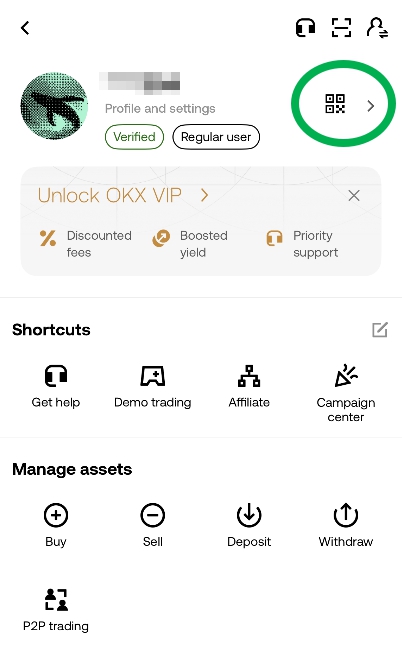
After logging into OKX, click the square icon in the top left corner, then click your username.
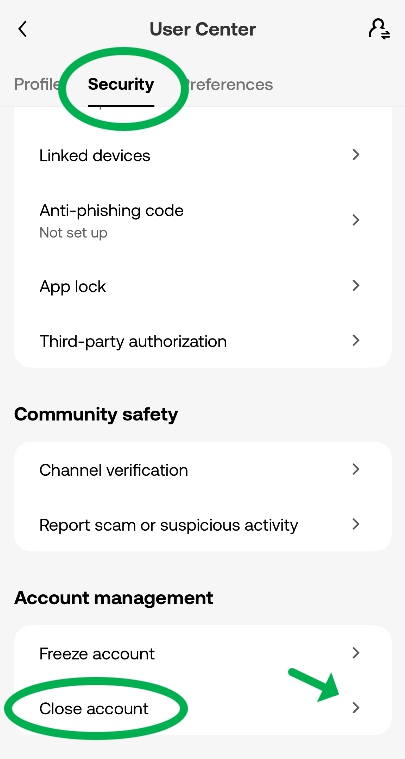
Next, click the 'Security' button and scroll down to click 'Close account' at the bottom.
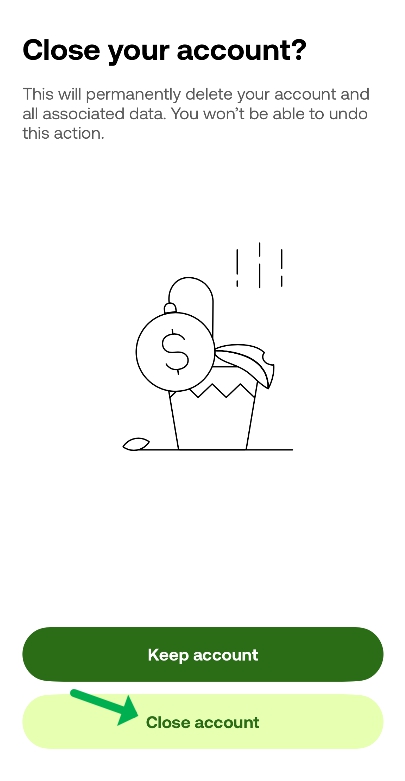
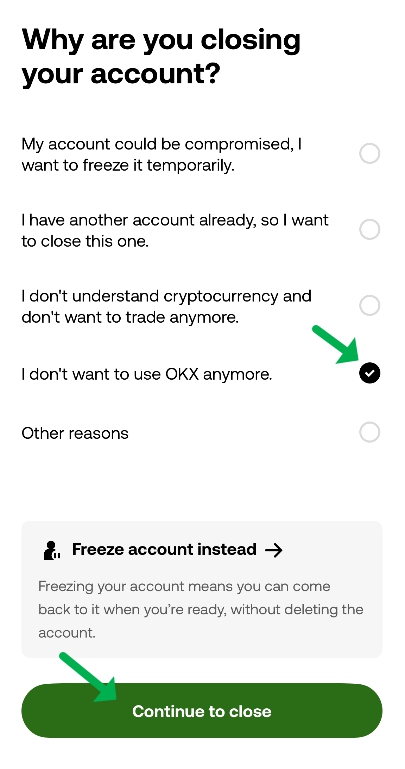
Select the reason for closing your account and click 'Continue to close'.
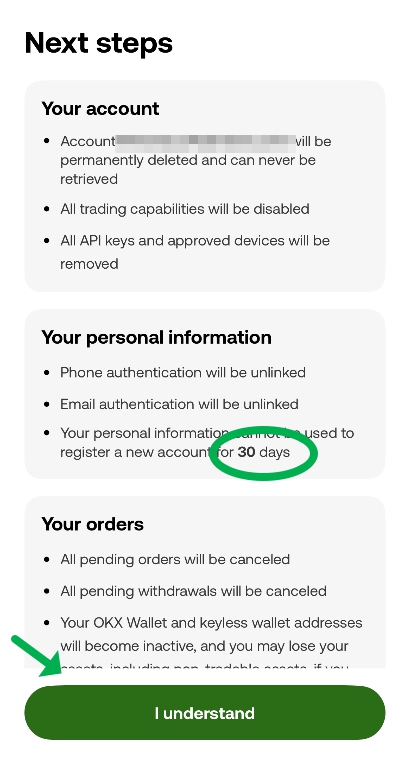
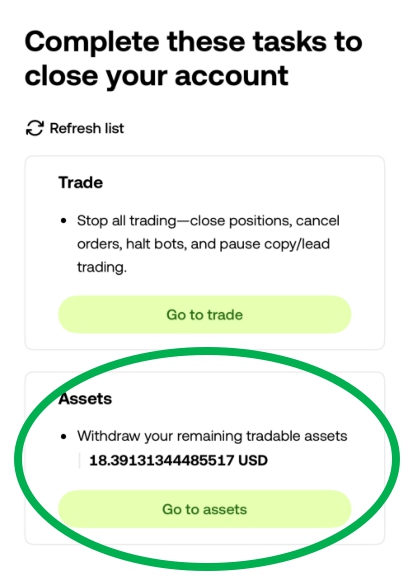
After reviewing everything, click 'I understand'. Then complete Google OTP, phone, and email verification to finalize the OKX account deletion.
How to Sign Up for 20% Payback with FuturesAI
You must sign up through the FuturesAI code to receive the 20% payback benefit.
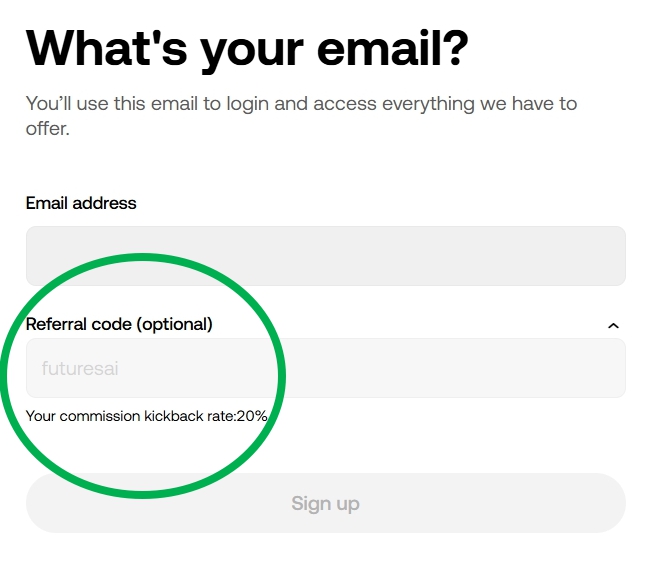
FuturesAI OKX Discount CodeAfter accessing through the link, enter a new email or phone number and password, verify the referral code "futuresai" is correctly entered, then create a new account.
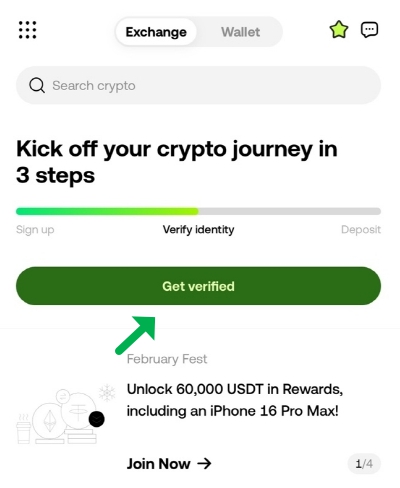
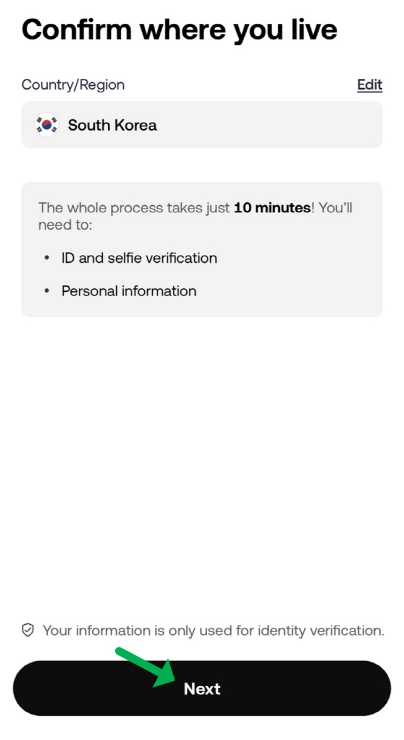
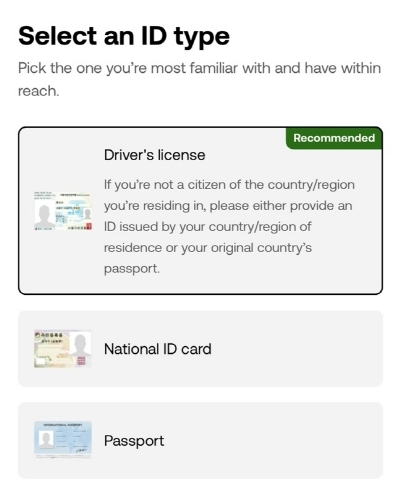
Log in with your new account and click 'Verify'. You must select an ID method not used on the previous account.
Need Help?
If you need assistance during the process, reach out to the FuturesAI community.